

QuickScan Mode
OnArrival app | Cvent | 2020
Background
QuickScan feature allows the onsite event planners to turn their tablet device into a self-serving kiosk for the attendees. It can be a fast and easy experience for all attendees, as easy as: walk up to the kiosk, scan their event badge, and walk into a session.
Problem
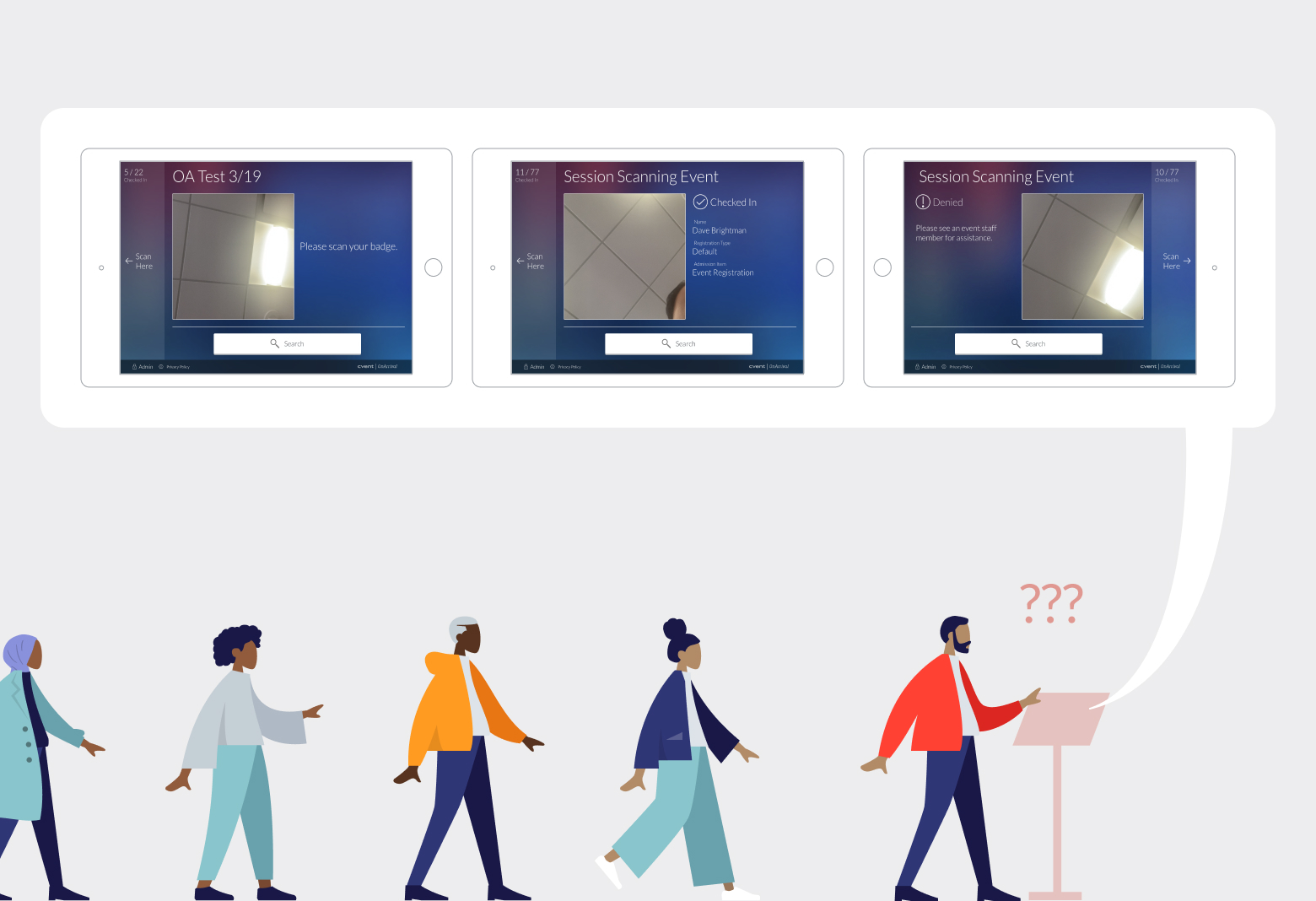
However, the existing UI design at the time had caused confusion and uncertainty to each attendee, which then caused a long line at the kiosk. This meant unhappy attendees (end users) and unhappy event planners (clients).
Solution
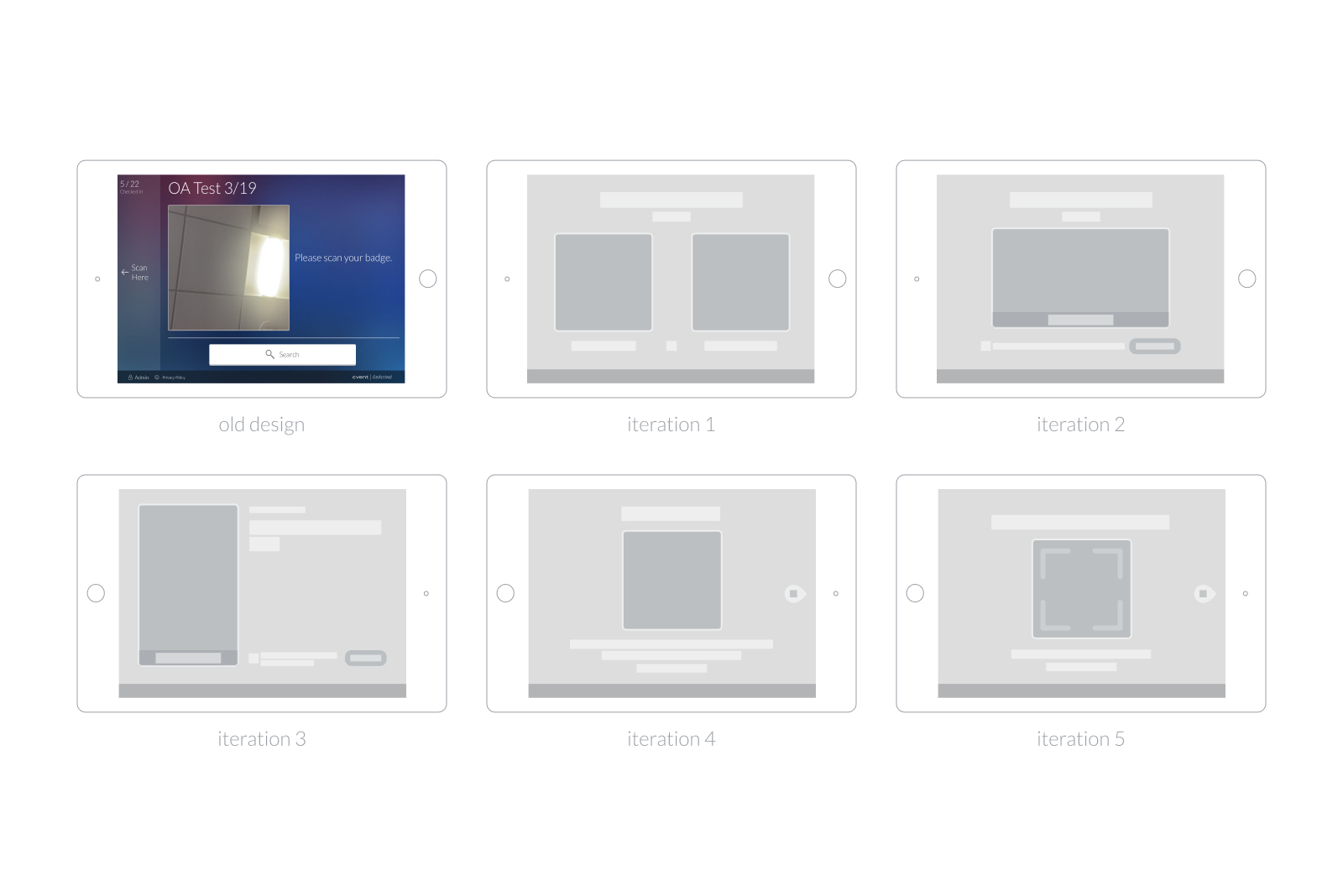
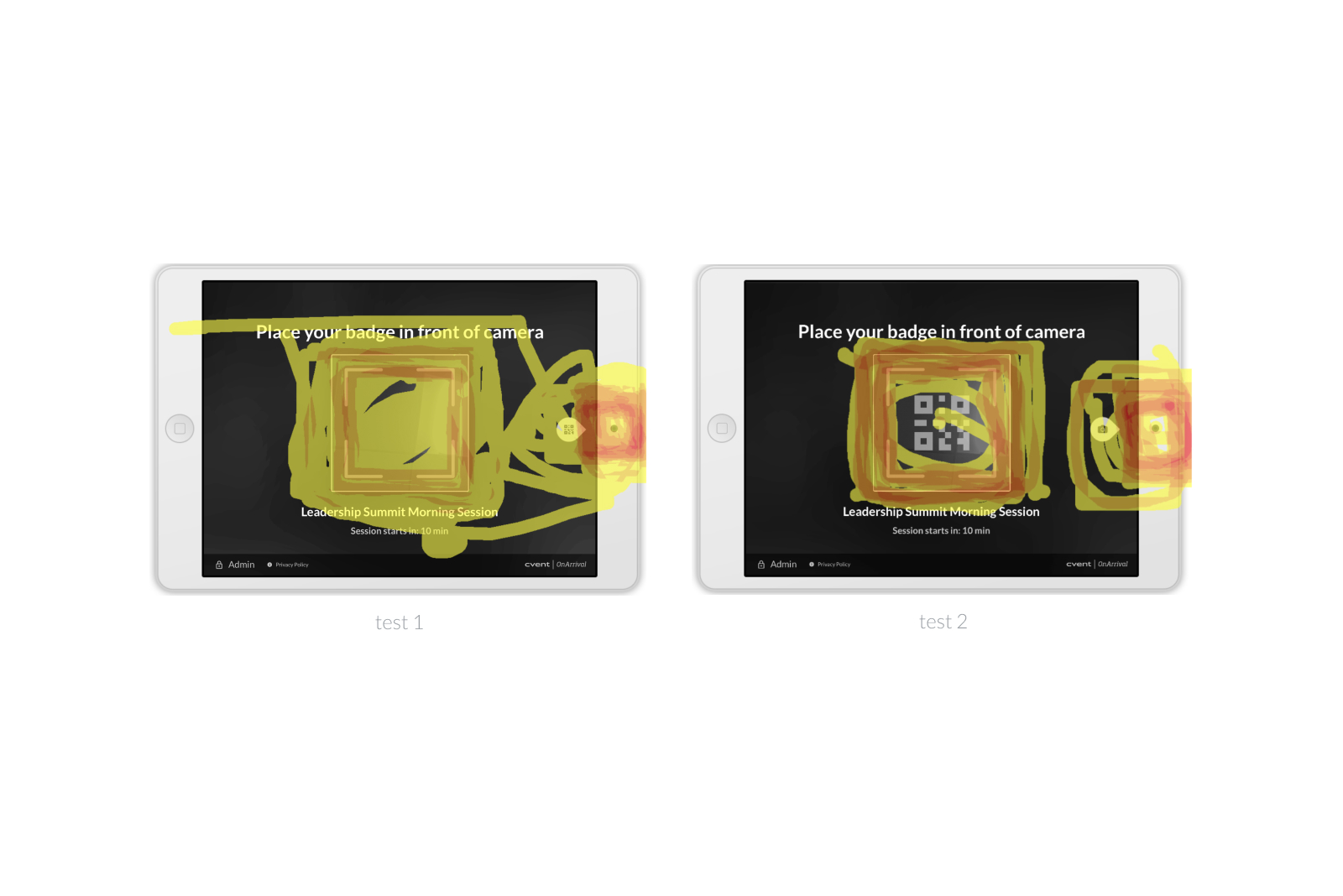
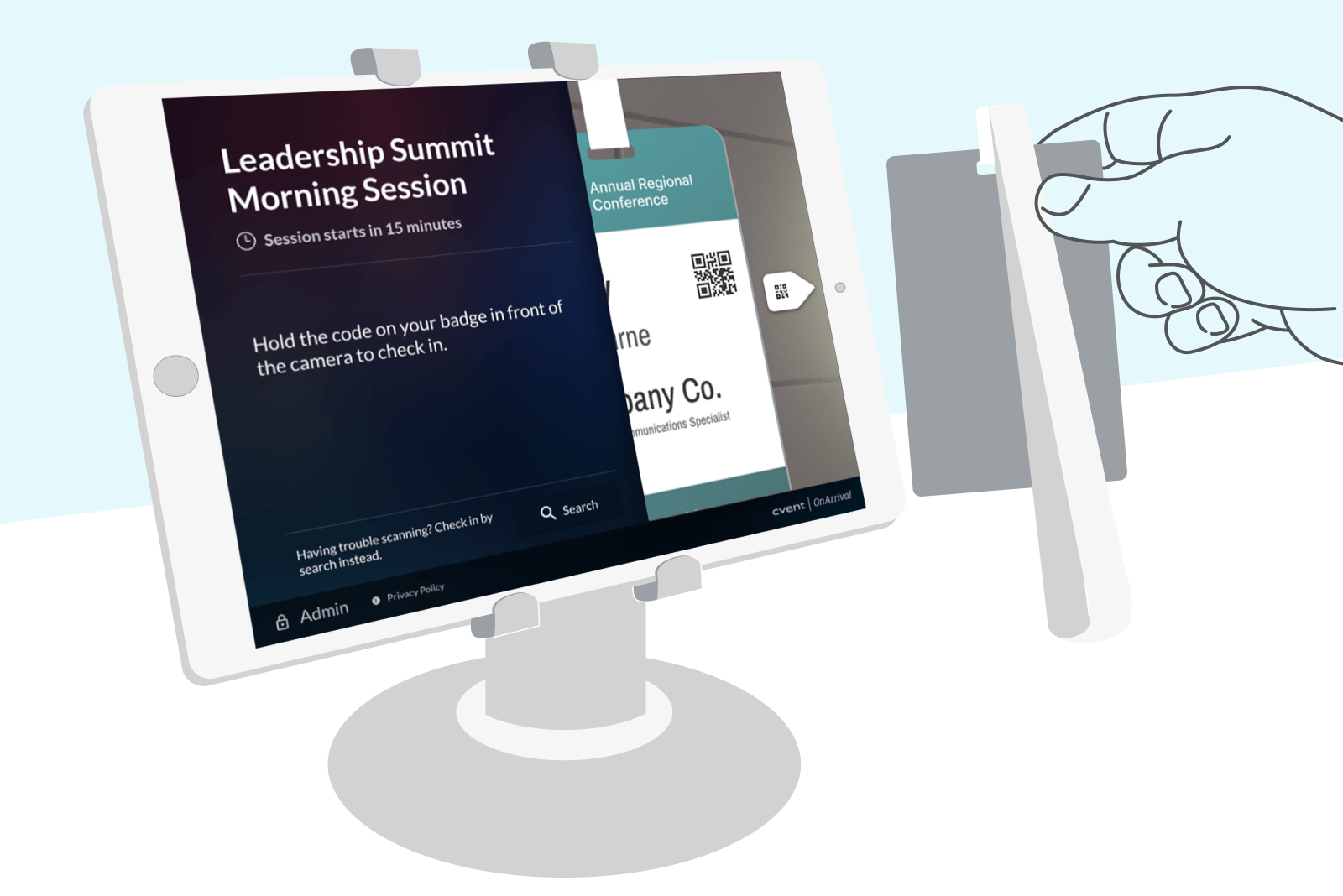
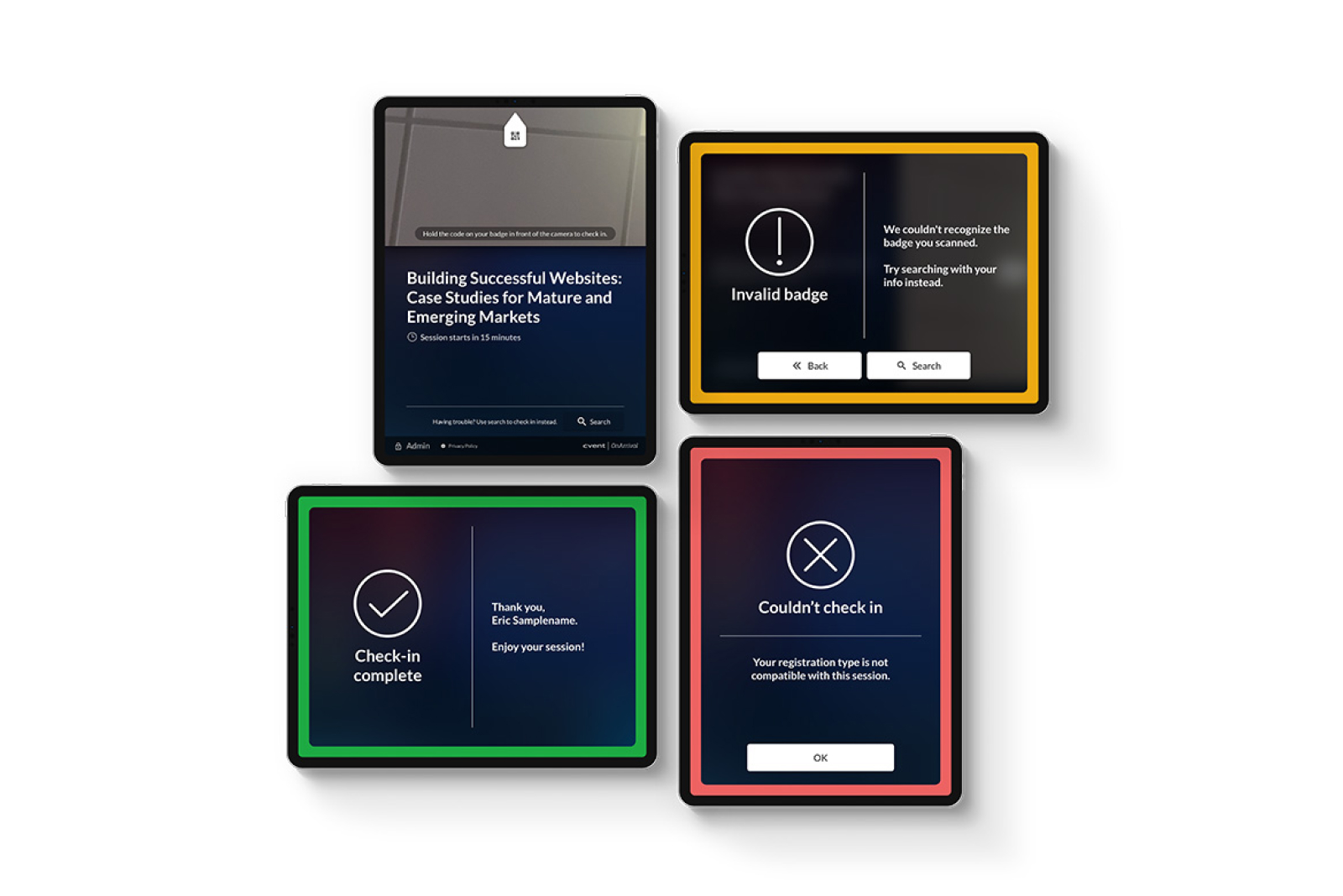
The newly updated design simplifies and clarifies the flow for the attendees. By placing the preview window and an animated arrow right next to the device camera, they naturally act as the visual cues for the attendees to hold their badge to the correct position. The concise written contents and the updated alert UIs ensure all attendees to quickly understand what action they need to take.
Impact
During the COVID pandemic in 2020, QuickScan feature (without any CTAs) became a perfect solution to the touchless check-in needs of all event planners at the time. This newly improved feature allowed Cvent to confidently respond to its customer’s immediate needs. (Featured at Cvent’s Connect annual industry event 2020)
This feature proved itself even outside of the event field. In February 2021, OnArrival’s touchless QuickScan Mode helped the medical center’s effort to vaccinate more than 15,000 frontline health workers. (Read press release)

QuickScan Mode
OnArrival app | Cvent | 2020
Background
QuickScan feature allows the onsite event planners to turn their tablet device into a self-serving kiosk for the attendees. It can be a fast and easy experience for all attendees, as easy as: walk up to the kiosk, scan their event badge, and walk into a session.
Problem
However, the existing UI design at the time had caused confusion and uncertainty to each attendee, which then caused a long line at the kiosk. This meant unhappy attendees (end users) and unhappy event planners (clients).
Solution
The newly updated design simplifies and clarifies the flow for the attendees. By placing the preview window and an animated arrow right next to the device camera, they naturally act as the visual cues for the attendees to hold their badge to the correct position. The concise written contents and the updated alert UIs ensure all attendees to quickly understand what action they need to take.
Impact
During the COVID pandemic in 2020, QuickScan feature (without any CTAs) became a perfect solution to the touchless check-in needs of all event planners at the time. This newly improved feature allowed Cvent to confidently respond to its customer’s immediate needs. (Featured at Cvent’s Connect annual industry event 2020)
This feature proved itself even outside of the event field. In February 2021, OnArrival’s touchless QuickScan Mode helped the medical center’s effort to vaccinate more than 15,000 frontline health workers. (Read press release)
QuickScan Mode
OnArrival app | Cvent | 2020
Background
QuickScan feature allows the onsite event planners to turn their tablet device into a self-serving kiosk for the attendees. It can be a fast and easy experience for all attendees, as easy as: walk up to the kiosk, scan their event badge, and walk into a session.
Problem
However, the existing UI design at the time had caused confusion and uncertainty to each attendee, which then caused a long line at the kiosk. This meant unhappy attendees (end users) and unhappy event planners (clients).
Solution
The newly updated design simplifies and clarifies the flow for the attendees. By placing the preview window and an animated arrow right next to the device camera, they naturally act as the visual cues for the attendees to hold their badge to the correct position. The concise written contents and the updated alert UIs ensure all attendees to quickly understand what action they need to take.
Impact
During the COVID pandemic in 2020, QuickScan feature (without any CTAs) became a perfect solution to the touchless check-in needs of all event planners at the time. This newly improved feature allowed Cvent to confidently respond to its customer’s immediate needs. (Featured at Cvent’s Connect annual industry event 2020)
This feature proved itself even outside of the event field. In February 2021, OnArrival’s touchless QuickScan Mode helped the medical center’s effort to vaccinate more than 15,000 frontline health workers. (Read press release)